






Camera FV-5
 |
Latest Version | v5.3.7 |
 |
Update | Aug,20/2026 |
 |
Developer | FGAE Apps |
 |
OS | Android 5.1 or later |
 |
Category | Photography |
 |
Size | 13.15M |
| Tags: | Photography |
-
Latest Version
v5.3.7
-
Update
Aug,20/2026
-
Developer
FGAE Apps
-
OS
Android 5.1 or later
-
Category
Photography
-
Size
13.15M


 Download(v5.3.7)
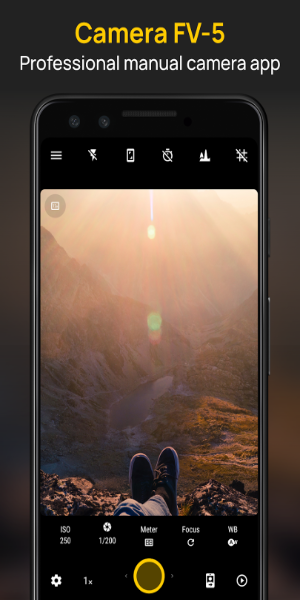
Camera FV-5 is a professional camera app that turns your smartphone into a powerful photography tool. Take full manual control over settings like ISO, exposure, and focus, just like a DSLR. Customizable hardware buttons and multiple viewfinder modes provide the precision you need to nail every shot. It's the perfect choice for mobile photographers who want advanced features at their fingertips.
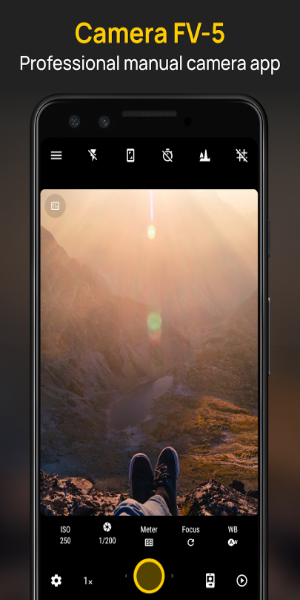
Overview of Camera FV-5
Camera FV-5 is a feature-packed mobile app designed to give your smartphone professional photography capabilities. Perfect for hobbyists and enthusiasts, it delivers extensive manual controls and high-end features that rival dedicated cameras, all without extra equipment.
How to Use
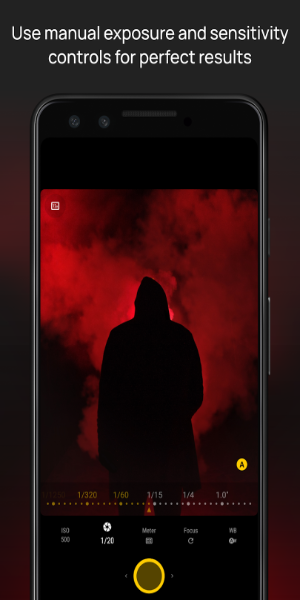
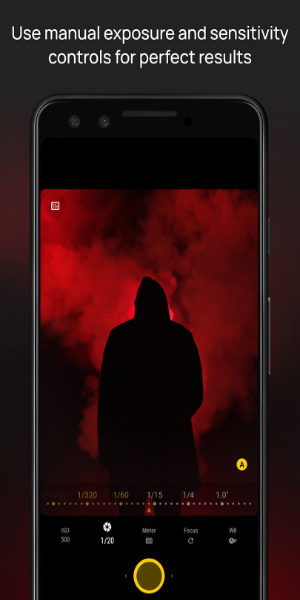
Getting started with Camera FV-5 is simple, yet it unlocks deep creative control. You can manually adjust key settings—ISO, exposure, focus mode, metering, white balance, and program mode. Remap your phone's physical buttons for quick, tactile control and use different display layouts to frame your shots perfectly.
Key Features
Manual Camera Controls
-ISO: Control light sensitivity for sharp, clear photos in any lighting.
-Exposure Compensation: Fine-tune brightness to prevent washed-out or dark images.
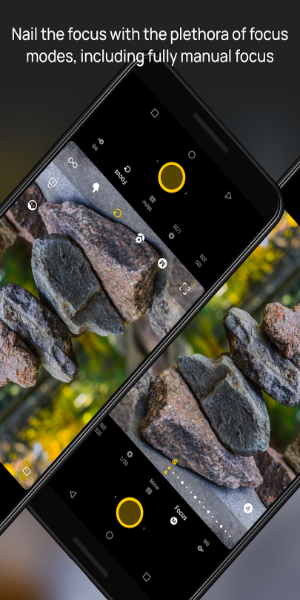
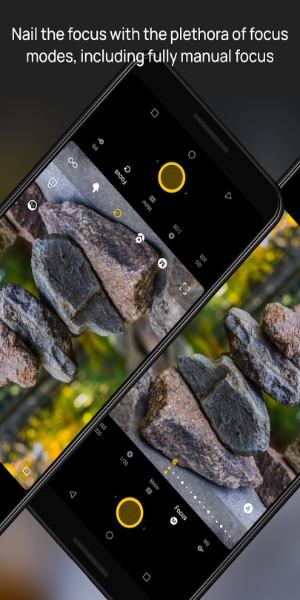
-Focus Mode: Choose auto, macro for close-ups, or manual for pinpoint accuracy.
-Metering Mode: Decide how the camera reads light for spot-on exposure.
-White Balance: Adjust colors to look natural in any environment.
-Program Mode: Prioritize shutter speed or aperture for creative effects.
Hardware Button Customization
-Remap your phone's physical buttons (like power and volume) to act as shutter, zoom, or other camera controls. This allows for faster, more stable shooting without touching the screen.
Multiple Screen Display Modes
-Switch between different viewfinder layouts for better composition and alignment. This helps you frame your subject precisely and creatively.
Diverse Photography Modes
-Exposure Compensation: Adjust image brightness separately from ISO and aperture.
-Program and Speed-Priority Modes: Favor shutter speed for action or aperture for depth of field.
-Autofocus and Manual Focus: Use quick autofocus or switch to manual for total focus control.
-Macro and Touch-to-Focus: Capture fine details up close or tap anywhere on screen to focus.
Support Features
-Long Exposures: Shoot exposures up to 30 seconds for night shots, light trails, and creative blur.
-EXIF and XMP Metadata: Every photo saves detailed shooting data for later reference and organization.
App Design and User Experience
The app boasts a clean, intuitive interface built for both simplicity and power. Essential controls are within quick reach, while deeper settings are neatly organized for advanced users. Camera FV-5 delivers a seamless, professional shooting experience that feels natural for beginners and experts alike.
Pros and Cons
Pros:
Professional Control: DSLR-like manual settings in your pocket.
Customization: Remap hardware buttons and customize the viewfinder.
Feature-rich: Packed with shooting modes and supports long exposures.
Cons:
Learning Curve: Some advanced features take time to master.
Hardware Limitations: Performance depends on your phone's camera specs.
Enjoy the Thrills of Professional Photography
Camera FV-5 is essential for anyone serious about mobile photography. Whether you're a beginner learning manual controls or a pro needing powerful tools on the go, this app delivers. With its intuitive design, extensive features, and professional results, Camera FV-5 helps you capture stunning, precision-crafted images. Download it today and unlock a new level of creative freedom.