






ES File Explorer
 |
Latest Version | 4.4.2.9 |
 |
Update | Aug,31/2026 |
 |
Developer | ES Global |
 |
OS | Android 5.0 or later |
 |
Category | Productivity |
 |
Size | 38.24M |
 |
Google PlayStore |  |
| Tags: | Productivity |
-
Latest Version
4.4.2.9
-
Update
Aug,31/2026
-
Developer
ES Global
-
OS
Android 5.0 or later
-
Category
Productivity
-
Size
38.24M
-
Google PlayStore



 Download(4.4.2.9)
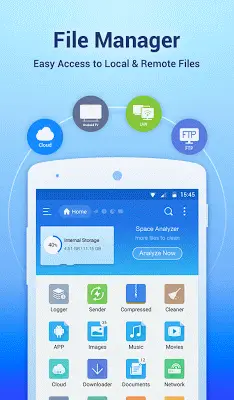
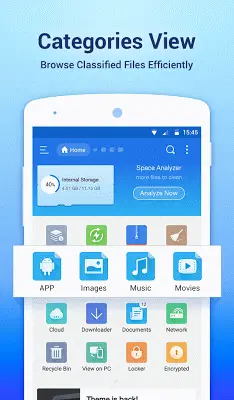
ES File Explorer File Manager is a powerful and versatile tool for organizing files on Android. Its intuitive interface and comprehensive features deliver a desktop-like experience for managing files, apps, and media. With tools for batch operations, app management, multilingual support, and theme customization, it addresses a wide array of user needs. Capabilities like media playback, storage analysis, and remote FTP access make it a complete solution. Whether for everyday organization or advanced system control, ES File Explorer simplifies mobile file management, making daily tasks more efficient and straightforward.
Mastering the World of Android File Management
The search for the best Android file manager depends on personal preference and specific requirements. While ES File Explorer is feature-rich, other strong options exist. Solid Explorer offers a clean, dual-pane interface for easy file transfers. Astro File Manager integrates cloud storage for access across devices. FX File Explorer features a modern design and a "Web Access" tool for quick remote management. Total Commander excels with extensive plugin support for added functions. The open-source Amaze File Manager appeals to users who value customization and root access. The best choice depends on whether you prioritize advanced tools, simplicity, or a particular interface. Trying a few apps is the best way to find the perfect fit for your workflow.
Application Manager
The integrated Application Manager is a standout feature, letting you sort, uninstall, back up, and create shortcuts for your apps. This creates a central control panel, simplifying all aspects of app management.
Multilingual Interface
Supporting more than 20 languages, ES File Explorer accommodates a global audience. This focus on accessibility makes the app easy to use for people everywhere.
Custom Icons & Themes
Beyond basic functionality, ES File Explorer allows deep visual customization. Choose from three professional icon sets for over 100 file types and apply various themes to personalize the interface and match your style.
Media Management
ES File Explorer is a versatile hub with its built-in music player, image viewer, and text editor. This eliminates the need for separate apps to play music or view images, letting you handle media files directly.
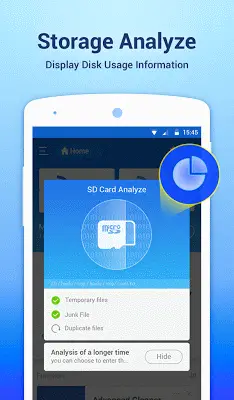
Storage Analyzer
The app includes a storage analysis tool to help you manage space proactively. It identifies clutter and unnecessary files, aiding in storage optimization and potentially improving your device's performance.
PC Access via FTP
With built-in FTP support, ES File Explorer allows you to access your Android device's files directly from your computer. This feature streamlines file transfers and management between devices, adding significant versatility.
Root Explorer for Power Users
For advanced users, the app provides a root explorer function. This grants access to system files and deeper controls not available in standard file managers, catering to those who need full device access.
Search & Share Functions
The app's powerful search tool helps you find files quickly. You can also share files seamlessly directly from the app, improving collaboration and making your files more accessible.
Final Thoughts
ES File Explorer File Manager remains a top choice for Android users, offering a robust mix of features for casual and advanced tasks. Its user-friendly design, wide-ranging tools, and consistent updates solidify its position as a powerful and efficient file management solution.