






Kiddle App

 |
Latest Version | v1.2 |
 |
Update | Jun,29/2026 |
 |
Developer | JOHN 'S APP |
 |
OS | Android 5.1 or later |
 |
Category | Lifestyle |
 |
Size | 6.64M |
| Tags: | Lifestyle |
-
Latest Version
v1.2
-
Update
Jun,29/2026
-
Developer
JOHN 'S APP
-
OS
Android 5.1 or later
-
Category
Lifestyle
-
Size
6.64M


 Download(v1.2)
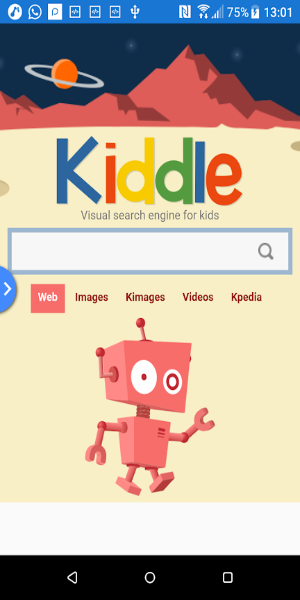
Kiddle App is a kid-focused visual search engine that provides a secure environment for exploring the web, images, and videos. Its content is handpicked by editors for safety, offering age-appropriate results in a vibrant, easy-to-navigate interface. With an educational emphasis, Kiddle transforms online discovery into a safe and enjoyable adventure for young minds.
Discover the Kiddle App:Your Child’s Gateway to Safe Online Exploration
In today’s connected world, giving children secure and suitable internet access is a major concern for parents and educators. Kiddle is a visual search engine built just for kids—merging safety with enriching learning experiences. Backed by Google and managed by a team of editors, Kiddle ensures that children can safely search the web, images, and videos. This guide explores the Kiddle app’s advantages and functionality, showing how it enriches your child’s digital journey while safeguarding their online presence.
What is Kiddle?
Kiddle is a kid-friendly search engine crafted for younger audiences. It uses Google’s powerful search technology to deliver results that are relevant, educational, and safe. Unlike standard search engines, Kiddle is visually appealing and simple to use, allowing kids to explore and learn independently.
Top Features of the Kiddle App
Visual Search Engine
Kiddle’s colorful and intuitive interface keeps children engaged. The visual layout displays search results in a way that is easy for kids to grasp—ideal for those still developing reading skills. Visual cues help children quickly find what they’re looking for and make each search productive and fun.
Safe Search Results
Kiddle’s dedication to safety sets it apart. Every search result is reviewed by editors to confirm its appropriateness for children. Thanks to this careful screening process, parents can trust that their kids are accessing only safe, high-quality content while browsing.
Child-Friendly Interface
The app is thoughtfully designed with kids in mind. Its simple layout features large buttons and clear text, giving even young users the confidence to navigate and perform searches. This straightforward design helps kids build digital skills without frustration.
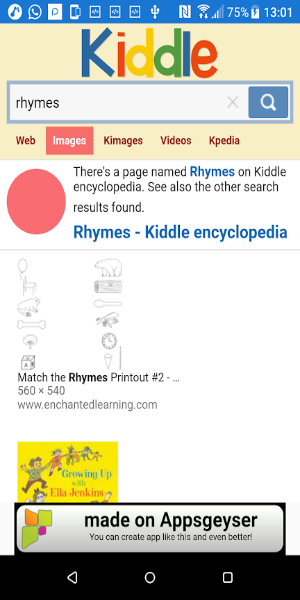
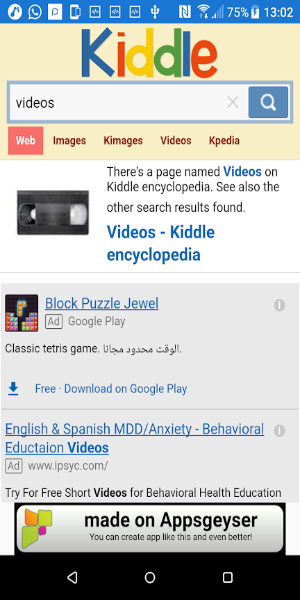
Web, Image, and Video Search
From articles and illustrations to kid-approved videos, Kiddle enables comprehensive searches across formats. All results are tailored to be engaging and appropriate for children, creating a one-stop platform for learning and fun.
Educational Content
Kiddle emphasizes learning, offering access to articles, videos, and images that expand kids’ knowledge in exciting ways. The app supports intellectual growth while making sure every discovery is positive and inspiring.
Why Choose Kiddle?
Superior Online Safety
With filtered results and human oversight, Kiddle greatly reduces the chance of kids stumbling upon harmful content. Parents can relax knowing their children are browsing a platform built for their age and safety needs.
Easy to Use
The app is built for small hands and curious minds. Bright visuals and straightforward navigation let kids of all skill levels search and learn with little assistance, fostering confidence and independence.
Encourages Learning & Discovery
Kiddle nurtures curiosity by offering access to a wide range of topics. Combining visuals with educational material motivates kids to explore and learn actively in a safe digital space.
Peace of Mind for Parents
Parents gain assurance knowing that Kiddle only shows editor-approved content. This reliability means they can comfortably let their kids explore the internet without constant supervision.
Getting Started with Kiddle
You can set up Kiddle quickly by following these steps:
Download and Install
Kiddle can be downloaded on most devices. For a trusted source, visit 40407.com and search for "Kiddle" to get the app. Installation is fast and simple, so your child can start searching in minutes.
Set Up User Preferences
Customize the app according to your child’s age and interests. Adjust settings so search results match your family’s online safety guidelines.
Introduce the App to Your Child
Walk your child through the app’s features and show them how to perform searches. Encourage them to use Kiddle as a learning tool for homework or personal interests.
Monitor Usage
Though Kiddle is designed for safety, it’s still wise to check your child’s activity from time to time. Browse together, discuss their discoveries, and reinforce smart online habits.
Download Kiddle App APK for Free
Kiddle App excels as a secure, inspiring tool for kids’ online activities. It blends Google’s search power with a kid-friendly design, editor-approved content, and a focus on learning. By delivering safe web, image, and video searches, Kiddle becomes an essential resource for families who value both education and online well-being. Get Kiddle App today and let your child learn, explore, and grow in a protected digital space.