






Tor Browser (Alpha)

 |
Latest Version | 115.2.1-beta (13.5a8 |
 |
Update | Oct,06/2026 |
 |
Developer | The Tor Project |
 |
OS | Android 5.1 or later |
 |
Category | Tools |
 |
Size | 97.30M |
| Tags: | Tools |
-
Latest Version
115.2.1-beta (13.5a8
-
Update
Oct,06/2026
-
Developer
The Tor Project
-
OS
Android 5.1 or later
-
Category
Tools
-
Size
97.30M




 Download(115.2.1-beta (13.5a8)
Experience ultimate privacy and online freedom with Tor Browser for Android! Created by the Tor Project, this is the only official mobile browser that keeps your online activities confidential and secure. The application blocks trackers and ads, stopping them from following you across the web and invading your personal space. Concerned about surveillance? Tor Browser ensures no one can see which sites you visit, keeping your browsing habits completely private. Moreover, through Tor's multi‑layered encryption, your internet traffic is relayed and encrypted three times, delivering unmatched security.
Features of Tor Browser (Alpha):
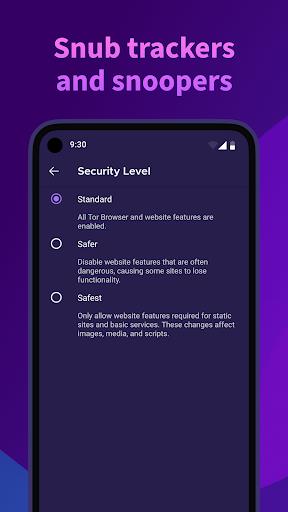
⭐ Block Trackers: The app isolates every website you open, blocking third‑party trackers and ads from tailing your online behavior. It automatically clears all cookies after your browsing session, protecting your privacy.
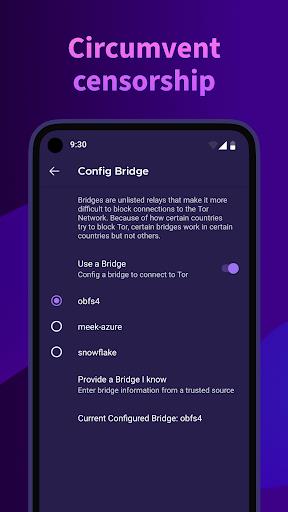
⭐ Defend Against Surveillance: The app stops anyone monitoring your connection from learning which websites you access. It disguises your browsing patterns and complicates efforts by surveillance actors to trace your online activity.
⭐ Resist Fingerprinting: Tor is designed to make every user look the same, preventing websites from uniquely identifying and fingerprinting you based on browser or device details. This strengthens your anonymity and privacy online.
⭐ Multi‑layered Encryption: When you use Tor Browser for Android, your web traffic is relayed and encrypted three times across the Tor network. This network relies on volunteer‑operated servers called Tor relays, guaranteeing a high level of data security.
Tips for Users:
⭐ Enable Block Trackers: In Tor Browser’s settings, ensure the “Block Trackers” feature is turned on. This stops websites from tracking your online actions and showing you targeted advertisements.
⭐ Use Private Browsing Mode: Always browse the internet using the app’s built‑in private mode. This ensures your history, cookies, and other browsing data are wiped automatically when you close the app.
⭐ Regularly Update the App: Keep Tor Browser updated to the latest version to take advantage of improved security features and bug fixes. Regular updates help deliver the safest possible browsing experience.
Conclusion:
Tor Browser for Android is a must‑have tool for anyone who values privacy and online anonymity. With powerful features like tracker blocking, surveillance defense, and fingerprinting resistance, it provides a secure browsing environment. The Tor network’s multi‑layered encryption keeps your online traffic well protected. By following the tips above, users can maximize privacy and enjoy the full benefits of Tor Browser for Android.