






Video Sound Editor : Add Audio

 |
Latest Version | 1.12 |
 |
Update | Oct,03/2026 |
 |
Developer | AndroTechMania |
 |
OS | Android 5.1 or later |
 |
Category | Video Players & Editors |
 |
Size | 12.00M |
| Tags: | Media & Video |
-
Latest Version
1.12
-
Update
Oct,03/2026
-
Developer
AndroTechMania
-
OS
Android 5.1 or later
-
Category
Video Players & Editors
-
Size
12.00M


 Download(1.12)
Video Sound Editor: Add Audio, Mute, Silent Video is a premier application that makes it simple to manage and enhance the audio in your videos. You can add background music, mute specific sections, or strip away unwanted sound entirely. It also lets you trim your clips and mute them at the same time, providing a streamlined way to craft the perfect videos. By blending audio and video flawlessly, you can polish your content and give it a professional edge. The app works with a wide range of video formats, so any file you have is ready to edit. Discover top-tier video sound editing—download the app today!
Features of Video Sound Editor: Add Audio, Mute, Silent Video:
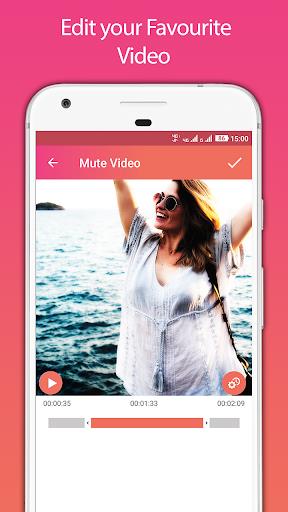
- Mute selected parts of the video: Select precise segments of your video to mute, removing distracting noise or creating quiet moments that improve your storytelling.
- Trim video with mute option: Trim your video while muting the audio in one step. Just choose the section you want to keep, and the sound is automatically silenced, delivering a clean, sound‑free clip.
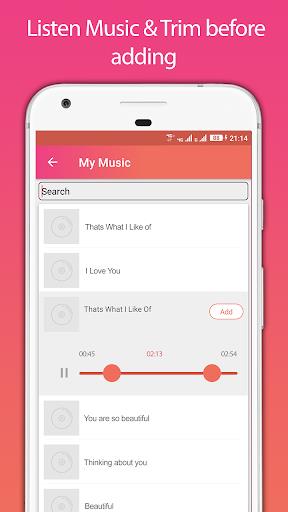
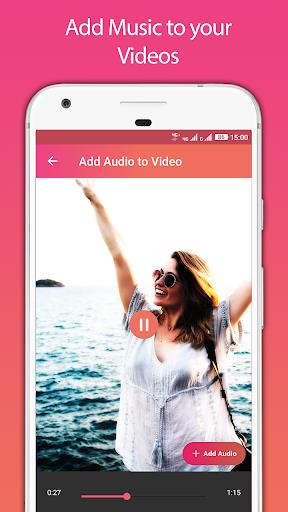
- Add audio to video: Personalize your video by replacing the background music or adding a fresh audio track. Pick any part of an audio file and blend it smoothly into your video. If the audio is shorter than the video, it will loop automatically for uninterrupted playback.
- Mixing capabilities: Elevate your video projects by easily mixing music with your footage. This tool helps you craft professional‑grade audio‑video blends for a distinctive and engaging viewer experience.
- Preview and save: Get a real‑time preview of your edited video before saving. This "What You See Is What You Get" approach puts you in full control of the final outcome.
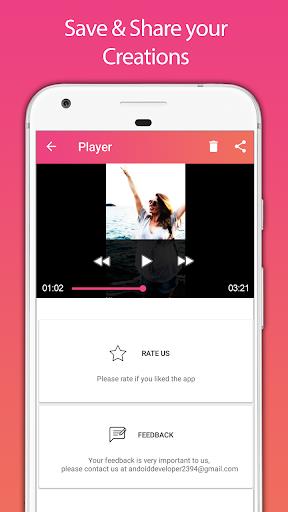
- Play and share: Watch your edited videos right inside the app using the integrated video player. Share your creations with friends and others to show off your editing talent and leave a lasting impact.
Conclusion:
Video Sound Editor: Add Audio, Mute, Silent Video offers a complete toolkit for upgrading your video’s audio. Whether you need to mute certain segments, trim with muting, add custom soundtracks, or produce professional‑level mixes, this app delivers. Its user‑friendly interface and speedy processing help you create high‑quality edited videos effortlessly. Download now to enjoy the ultimate video sound editing experience.